Securing Your Crypto Accounts: 2FA, Passkeys, and the Mistakes That Cost People Everything
How crypto account takeovers actually happen, why SMS codes are the weakest link, and a prioritized checklist for locking down your exchange and email accounts.
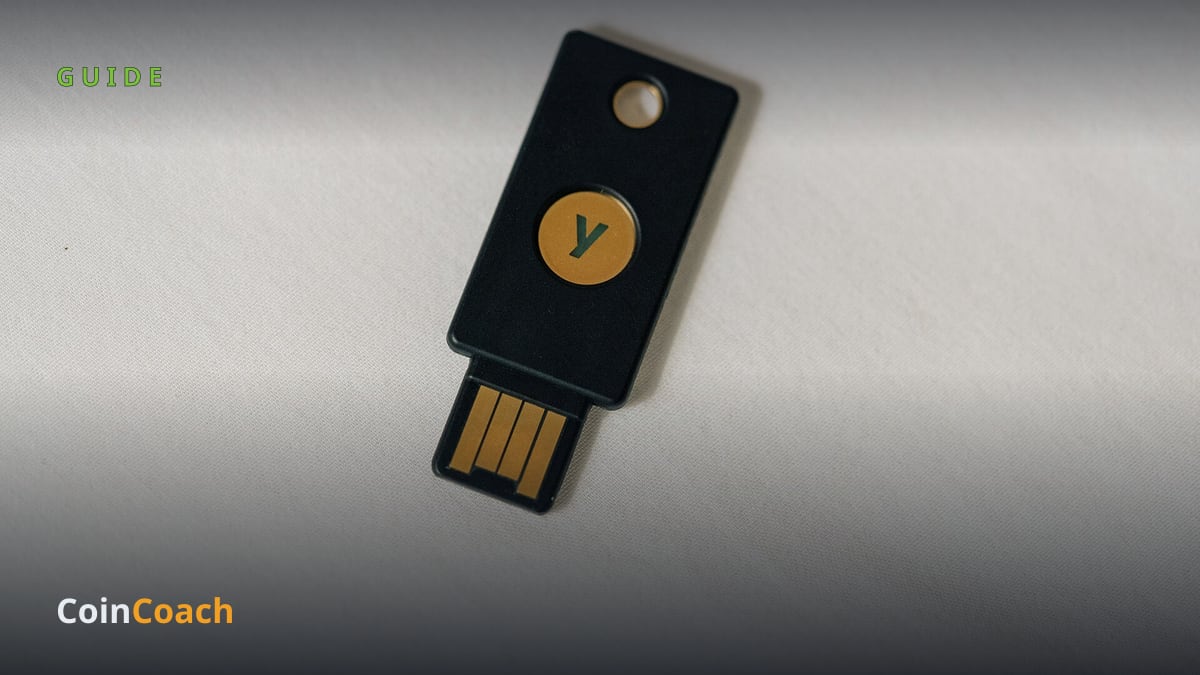
Photo: Tony Webster from Minneapolis, Minnesota, United States, CC BY 2.0, via Wikimedia Commons
Most people who lose crypto never get "hacked" in the Hollywood sense. They click a convincing fake login page, approve a text message they shouldn't have, or hand a code to someone pretending to be customer support. The good news: a few hours of setup closes off almost all of these attacks. This guide walks through how account takeovers actually happen, which security tools are worth using, and a prioritized checklist you can finish this week.
The real threat is you, not the exchange
Big exchange hacks make headlines, but the bulk of individual losses come from account takeovers and phishing — attackers tricking or bypassing you, not breaking the platform. The FBI's Internet Crime Complaint Center logged more than 181,000 crypto-related complaints in 2025, with reported losses topping $11 billion, up 22 percent from the year before.
One technique deserves special attention: SIM swapping — a scam where a criminal convinces (or bribes) your phone carrier to move your number onto their SIM card. Once they control your number, they receive your text-message login codes and password-reset links. The FBI tracked roughly $26 million in reported SIM-swap losses in 2024 alone, and the true figure is likely higher because many victims never file a report. This is why security professionals treat text messages as the weakest possible second factor.
The 2FA ladder: SMS, apps, and passkeys
Two-factor authentication (2FA) — requiring a second proof of identity beyond your password — is non-negotiable, but the options are not equal.
SMS codes are the floor. Better than nothing, but vulnerable to SIM swapping and interception. If your exchange offers anything else, switch.
Authenticator apps generate TOTP codes — time-based one-time passwords created on your device, so there is nothing for a SIM swapper to steal. A solid middle rung, though a convincing fake website can still trick you into typing the code in.
Passkeys and hardware security keys sit at the top. A passkey is a login credential built on the FIDO2 standard — a cryptographic key pair where the private half never leaves your device or security key, unlocked by your fingerprint, face, or PIN. Because the key is mathematically bound to the real website, a look-alike phishing site simply gets nothing. There is no code to type, so there is no code to steal. Major exchanges including Coinbase and Kraken now support passkeys; Kraken lets you register up to five and recommends them over every other method. Register at least two (for example, your phone plus a hardware key kept somewhere safe) so losing one device doesn't lock you out.
Free locks most people never turn on
Exchanges offer several underused protections:
- Anti-phishing code: a word or phrase you choose that appears in every genuine email from the exchange. An email without it is fake, full stop.
- Withdrawal allowlisting: restricting withdrawals to addresses you approved in advance, with a waiting period before new addresses become active. An intruder can't drain funds to their own wallet.
- Time locks: Kraken's Global Settings Lock, for example, freezes account settings so that even someone inside your account must wait days to change anything — and you get alerted in the meantime.
Your email is the crown jewel
Whoever controls your email can reset most of your other passwords. Secure it first: a unique, long password, the strongest 2FA it supports, and no reuse anywhere else. Then practice basic device hygiene — use a dedicated browser profile just for financial accounts, and never store a seed phrase (the master recovery words for a wallet) in cloud notes, email drafts, or screenshots, which sync to servers you don't control.
Finally, learn the social-engineering tells. Real exchanges never call you, never ask for codes or passwords, and never need you to "move funds to a safe wallet." Urgency is the tell: anyone pressuring you to act in the next ten minutes is an attacker.
The bottom line
Here's the order of operations: (1) lock down your email account, (2) replace SMS 2FA with an authenticator app or passkey everywhere, (3) add a second passkey or hardware key as backup, (4) set an anti-phishing code, (5) enable withdrawal allowlisting and any time-lock feature, and (6) get seed phrases and passwords out of cloud storage. None of this requires technical skill — just an afternoon, in that order. This guide is for educational purposes only and is not financial advice.
Sources

CoinCoach publishes clear, trustworthy cryptocurrency and blockchain news, guides, token breakdowns, and reviews.